MECHAMS V2 · DIGITAL FILES

Build it yourself.Files from €40.

Your A1's own extruder drives up to eight passive filament stations. You print and assemble the system yourself.

I just want to print it €40 · I want the project €75. VAT included.

Build effort
Print and assemble the parts, open the stock toolhead, file the extruder drive so the printed coupling seats and set up the G-code.
You supply
Filament, MR115ZZ bearings, PTFE tubes and tools.
A1 mini
Installation is on hold pending mounting qualification.
MULTI-MATERIAL FOR BAMBU LAB A1 · A1 MINI

8 filaments.
One toolhead.
No electronics.

Mechams is a fully 3D-printable multi-material system for the Bambu Lab A1 and A1 mini. Eight passive slots sit on top of the frame. The printer cuts, docks and swaps filament using its own motion and extruder, so there are no motors, boards or firmware to add.

>They offer free shipping?
STEP 01 / 12 · GEAR TRAIN

The extruder drives a belt that turns the spur gear.

The extruder turns the lower of two pulleys on the toolhead, and a belt turns the upper one. That pulley drives the spur gear, the only part that ever touches a slot.

STEP 02 / 12 · SLOT BANK

The slots have no motors.

Each slot sits on the top bar with a spur gear on its left, and only turns when the toolhead rises into it. The bar takes eight slots; this example uses two.

STEP 03 / 12 · PRINT

Printing starts in orange.

The toolhead is at print height, and the extruder pushes orange filament through the nozzle onto the gold PEI plate.

STEP 04 / 12 · CUT

To change colour, it first cuts the filament.

The toolhead lifts, then moves right until its lever hits a fixed pin at the end of the gantry. Pushing further drives the blade through the filament above the extruder.

STEP 05 / 12 · DOCK · SLOT 2

Then it docks at the old slot.

The toolhead moves under slot 2, which holds the orange filament, and rises to max Z. There its spur gear meshes with the slot's spur gear from below.

STEP 06 / 12 · RETRACT

The orange filament goes back up its tube.

The extruder runs in reverse. Through the gears, the slot's rollers grip the filament and pull the cut end back up the PTFE tube into the slot.

STEP 07 / 12 · WIPE

It drops out of the dock and wipes the nozzle.

The toolhead moves left to the wipe pad and makes three passes over the wiper.

STEP 08 / 12 · DOCK · SLOT 1

Then it docks at the new slot.

Same move as before: the toolhead goes under slot 1, which holds the white filament, and rises to max Z until the gears mesh. Now the extruder drives this slot's rollers.

STEP 09 / 12 · FEED

The white filament feeds down to the nozzle.

The extruder runs forward. The slot's rollers push the white filament down its PTFE tube, through the toolhead hub and into the nozzle.

STEP 10 / 12 · PURGE

It wipes and purges over the chute.

At the rear of the bed, the nozzle is wiped and the leftover orange is purged over the chute into a bin; the A1 wipes first, the A1 mini purges first. There is no purge tower.

STEP 11 / 12 · PRINT

Printing carries on in white.

The toolhead goes back to the print and lays the next layers in white, on top of the orange. It all runs on the stock firmware and the stock nozzle.

STEP 12 / 12 · PARK

When the print is done, the toolhead parks.

It moves back to the wipe pad and rises to standby height. You can start with two filaments and add more later, up to eight; every slot is the same passive part.

SKIP TO THE FACTS ↓TOOLHEAD SCAN · CLICK TO REPLAYMODE: ACQUIRING TARGETSCROLL ↓
01 / THE FACTS

Four things to know before you buy.

You buy Mechams as files: you print the parts yourself and mount the system on top of your A1 or A1 mini.

V2 shipped on 14 September 2026. The files you download are the files I print from.

WHAT YOU GET

Files and a G-code generator.

The print package has print-quality STL files for the one A1 or A1 mini chosen at checkout and the G-code generator. The project package covers both supported printers and adds editable STEP sources and Discord. The original Mini mounting remains on hold pending qualification.
WHAT YOU NEED

Your printer and a few parts.

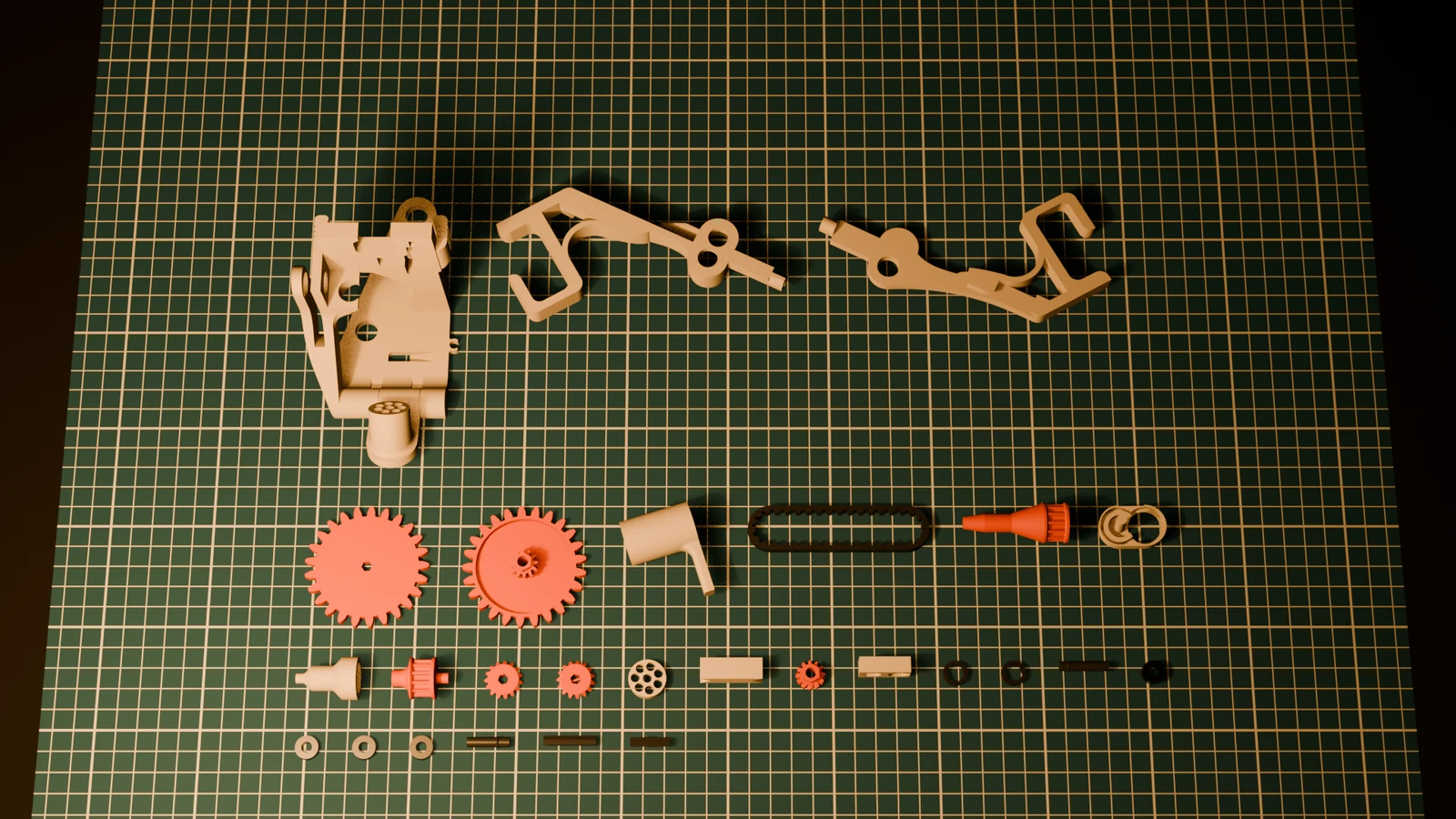
A Bambu Lab A1 or A1 mini on stock firmware. About 410 g of PLA, plus about 5 g of TPU for the belt and the filament drive gears, and about 19 hours of printing. MR115ZZ bearings (11 mm outer, 5 mm inner, 4 mm wide), which you buy. An eight-station build takes 37: five in the toolhead and four in each docking station. Eight PTFE tubes, at least 50 cm each; you can't print those. A slicer: Bambu Studio, or OrcaSlicer with the settings typed in.

BUILDS AND CLIPS

V1 and V2 on camera.

Photos and clips of the system on the A1 and the A1 mini, with links to the originals.

PACKAGES

Three packages.

I just want to print it €40: print-quality STL files for one chosen printer and the G-code generator. I want the project €75: the supported printer files, editable STEP sources and Discord.

DIGITAL FILES · THREE PACKAGES

Eight-colour printing from €40

Bring eight colours to your Bambu Lab A1 or A1 mini, using the printer's own extruder. No extra motors or electronics.

Digital files, not a hardware kit. The €40 print package covers one printer you choose; the €75 project package covers both supported printers and adds editable STEP sources and Discord.

✓ Print-quality STL files for the printer covered by your package✓ The G-code generator in your account☐ Not included: filament, eight PTFE tubes (one per slot) and MR115ZZ bearings

You don't need the AMS Lite or its hub with V2 fitted, and no AMS Lite part is reused.

BEFORE YOU BUY

Will it work on your printer?

PRINTER CHECK

Pick your printer

SUPPORTED

Runs on the stock firmware with the stock nozzle.

CAD animation · the printer drives the selected station.

Already own it? Downloads · Generator

Choose print files for one printer or the full project for both.

PRINT

€40

I just want to print it

  • Print-quality STL files for the one printer you choose
  • The G-code generator for your supported printer
  • No editable STEP sources or Discord
  • A1 mini installation remains on hold pending mounting qualification
Choose the printer for this licence

I just want to print it €40, I want the project €75.

Prices include VAT. By buying, you accept the Terms. Immediate download requires separate consent; your statutory remedies for faulty content remain. Refund policy.

Sold by Sipers Mechatronics, Wycker Smedenstraat 1 D01, 6221 ER Maastricht, Netherlands, under the brand Eyeball Engineering. Your card statement will show EYEBALL ENGINEERING.
MECHAMS V2

Specs

SLOTS8, passive (no motors)
PRINTERSBambu Lab A1 and A1 mini
DRIVEthe printer's own extruder, through a spur-gear dock
ELECTRONICSnone
FIRMWAREstock, untouched
TUBES8 PTFE tubes, at least 50 cm each, not included
NOZZLEstock, no mods
EXTRUDER DRIVEfiled once at install, so the printed coupling seats
TOLERANCE0.20 mm, the only tolerance in the files
FILESPrint-quality STL files and generator for your selected printer at €40; both supported printers, editable STEP sources and Discord at €75
PURGE TOWERnone, it purges into a bin at the rear
RELEASEV2, shipping since 14 September 2026

The short version.

FAQ
Does it work with my printer?Mechams is built for the Bambu Lab A1 and A1 mini. The original Mini bar remains held in the main pack; r04c STL models are in eligible buyer accounts. Mini installation remains on hold.
Really no electronics?Really. The slots have no motors. The toolhead rises to max Z into a slot, the spur gears mesh, and the printer's own extruder does the pulling and pushing. The slots work without power. The printer doesn't, though.
Will the gears grind my filament?The filament drive gears are TPU, so they grip without biting. How hard they grip is set by the 0.20 mm tolerance of the parts you print.
How would I even afford 8 spools?Start with two. Mechams runs fine with empty slots, so fill them as you go.
Is there a runout sensor?No. Watch your spool levels on long prints and swap a spool before it runs dry.
All questions →